Overview
For this homelab project, I deployed Pi-hole and Unbound on a Raspberry Pi to create a DNS filtering + privacy-focused DNS setup. Since dorm networks don’t allow router-level configuration, I implemented DNS control at the device level and used Tailscale to securely access and manage the system remotely.
The Problem (Dorm Network Restrictions)
In a normal home network, Pi-hole is usually configured at the router so every device automatically uses it.
In a dorm environment, I don’t have access to the router, so I had to build a solution that still worked without network-wide DNS control.
Architecture
Phone → Pi-hole (DNS filtering) → Unbound (recursive resolver) → Internet
Remote access / management via Tailscale (WireGuard VPN)
Step 1 — Pi-hole Deployment
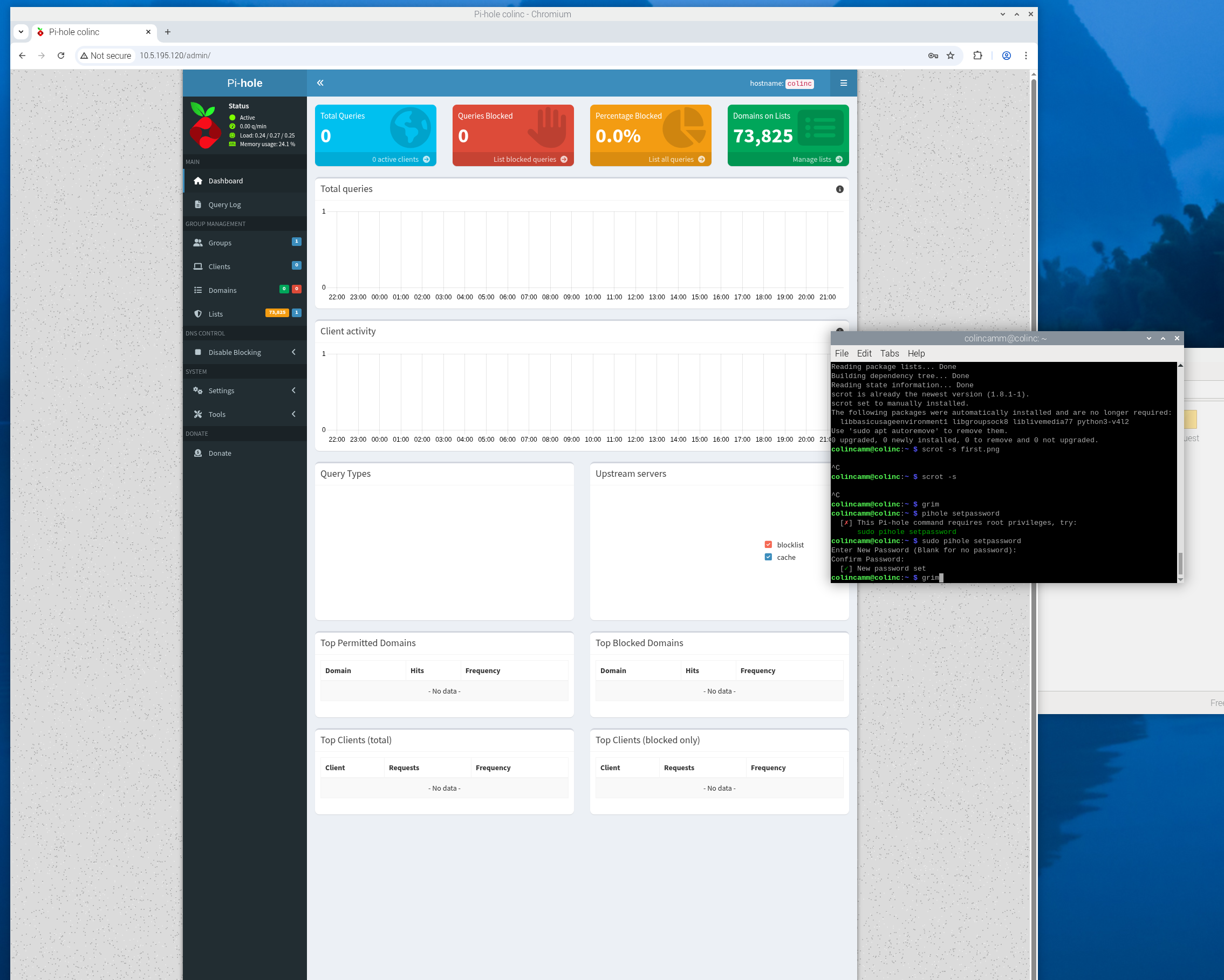
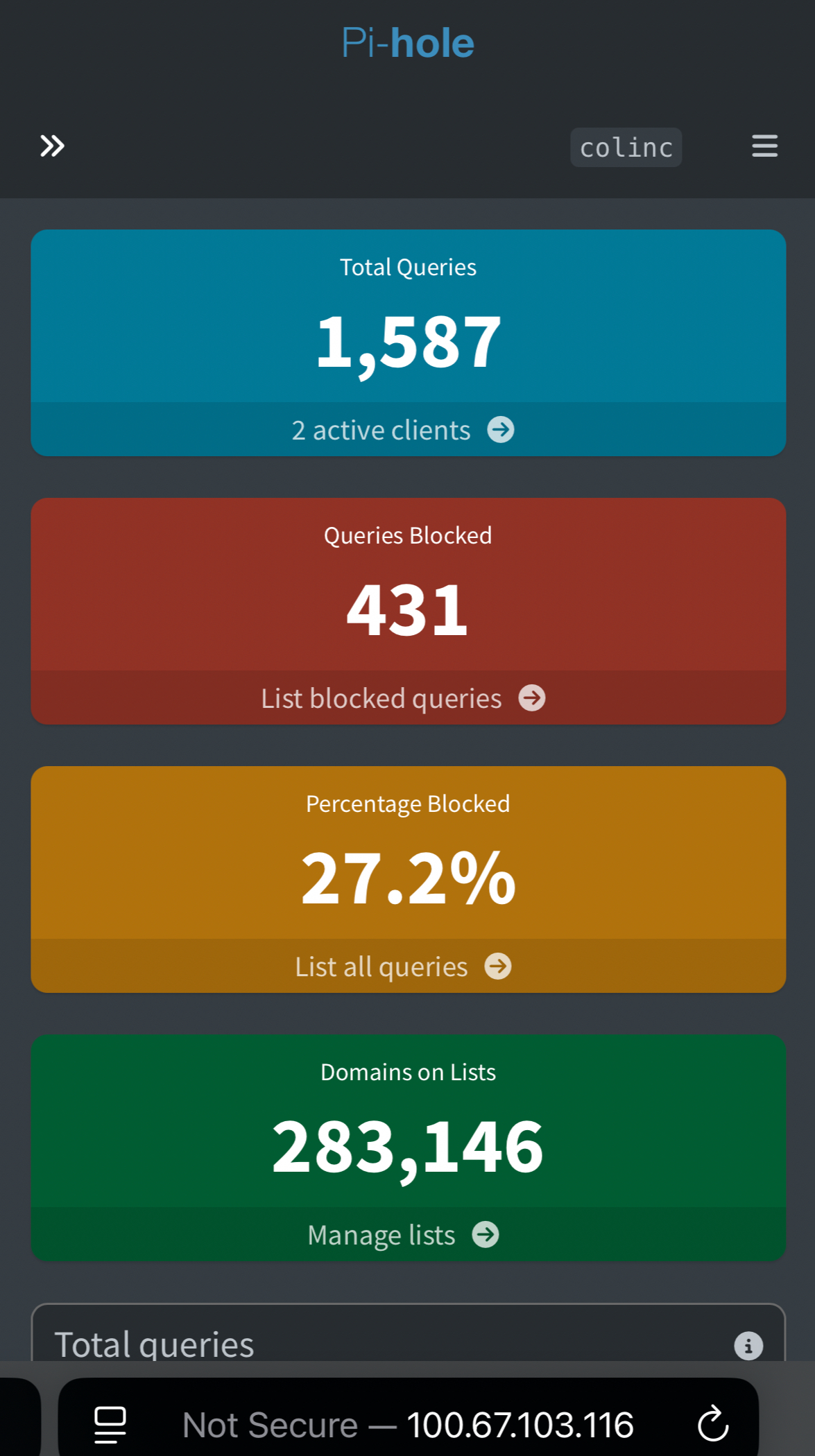
Pi-hole was installed on the Raspberry Pi and verified through the admin dashboard.
Step 2 — Confirm DNS Traffic is Routed Through Pi-hole
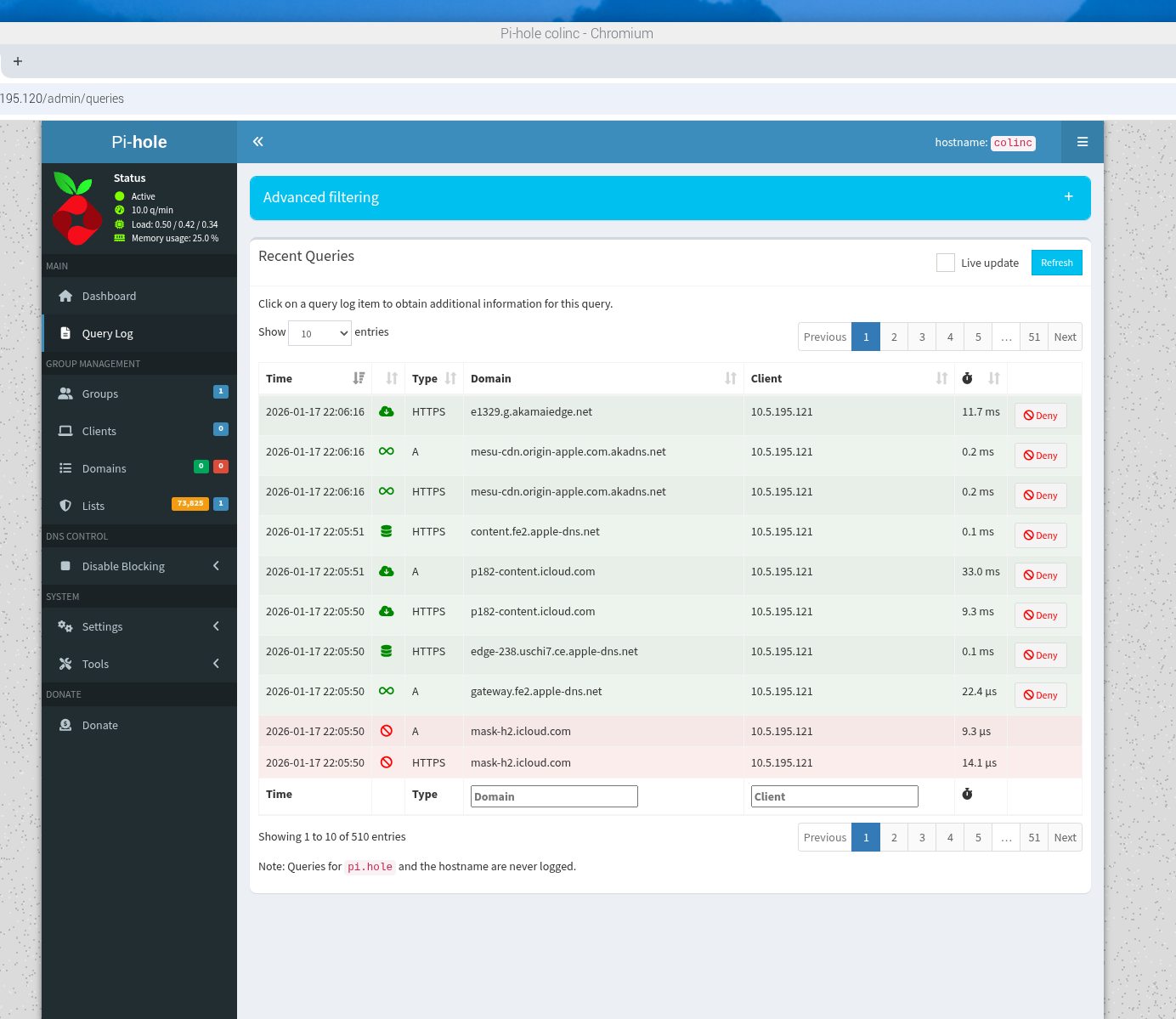
To confirm the setup was working, I verified that DNS queries were showing up in the Pi-hole query log.
Step 3 — Unbound Integration (Recursive DNS)
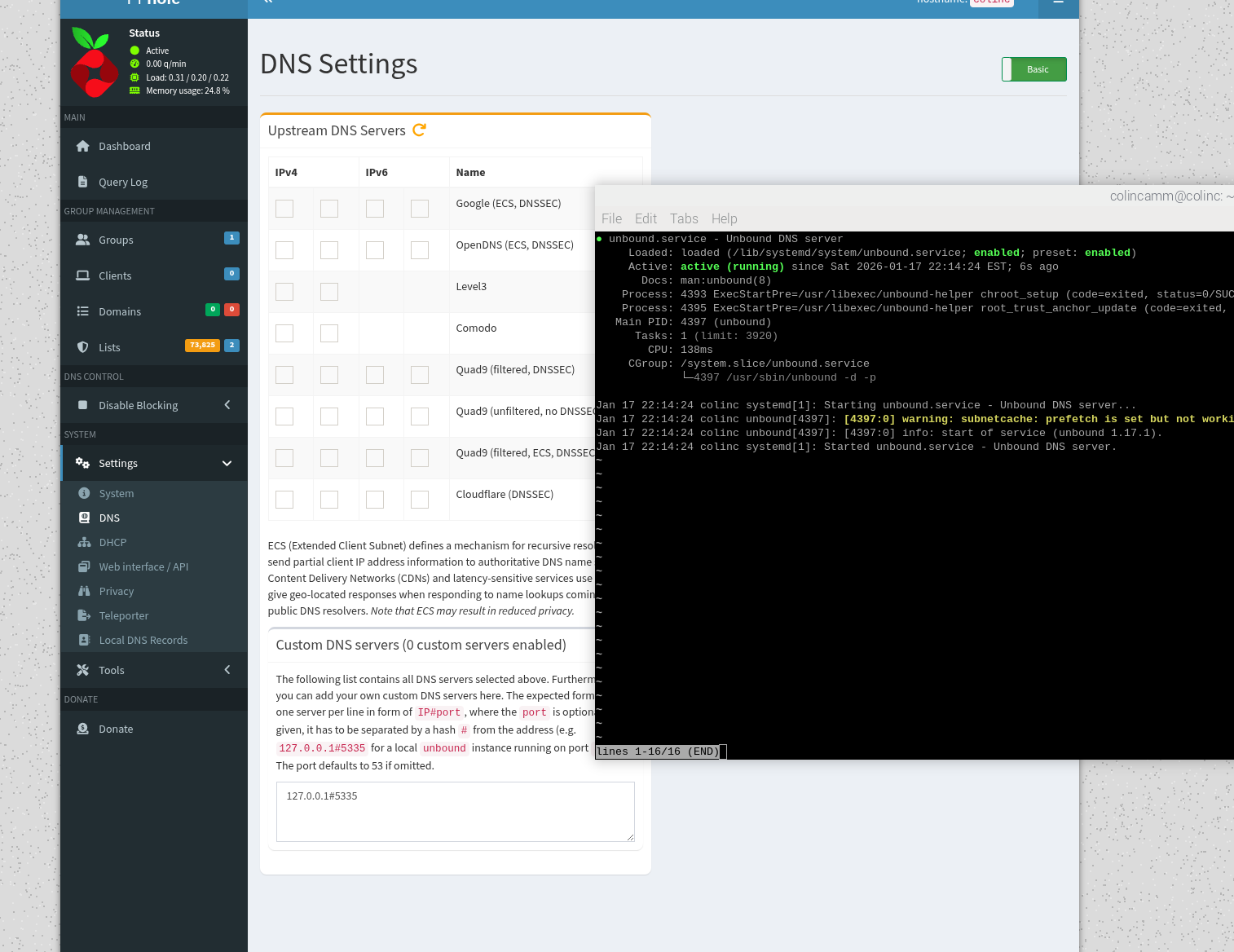
Instead of forwarding DNS requests to a public DNS provider, I configured Pi-hole to use Unbound as a local upstream resolver.
This improved privacy by resolving DNS requests recursively rather than relying on Google/Cloudflare.
Step 4 — Phone DNS Configuration (Dorm Workaround)
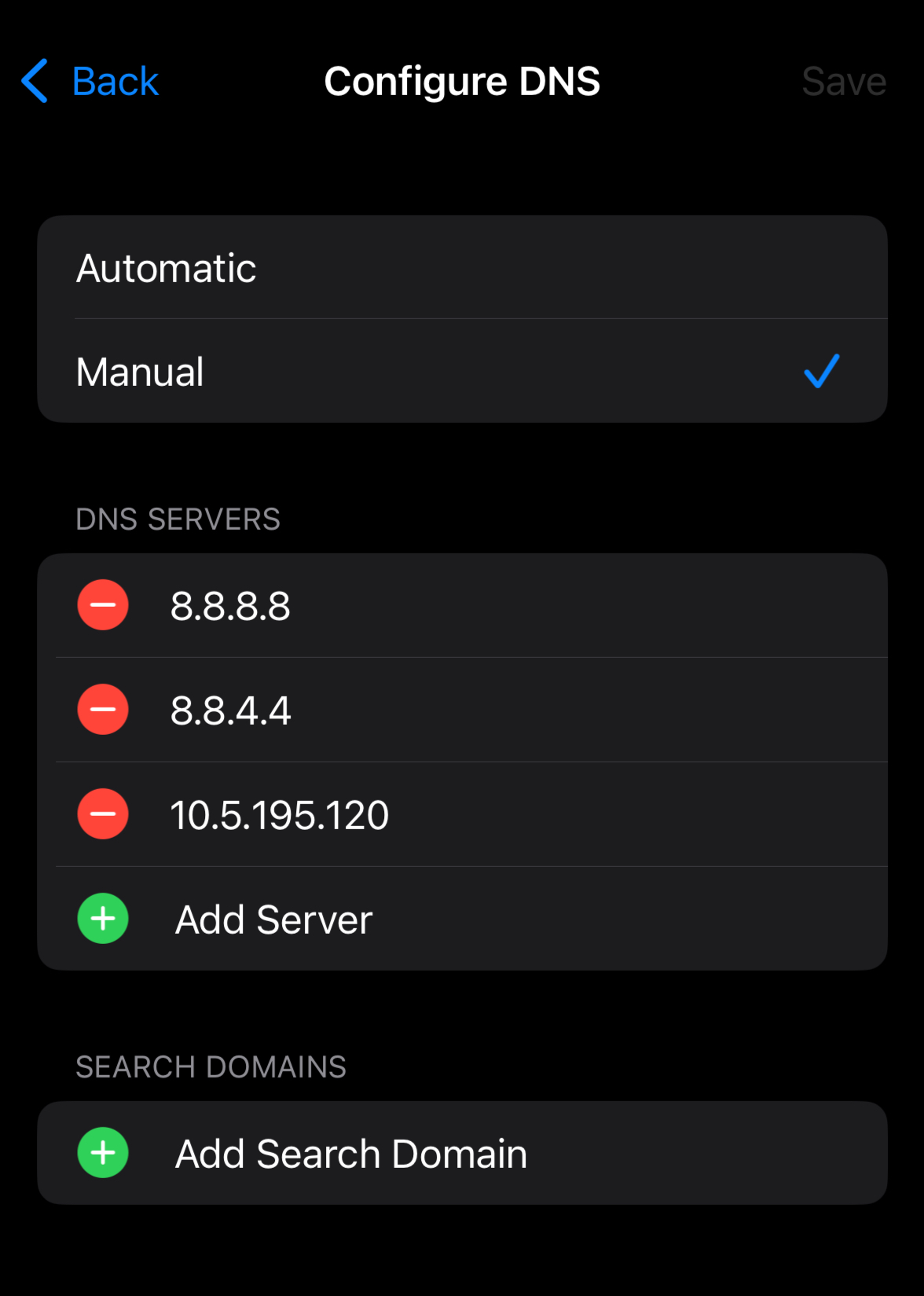
Because I couldn’t configure DNS at the router level, I manually set my iPhone Wi-Fi DNS to point directly to the Pi-hole server.
This forced my phone’s DNS requests through Pi-hole.
Step 5 — Tailscale Remote Access + Usability
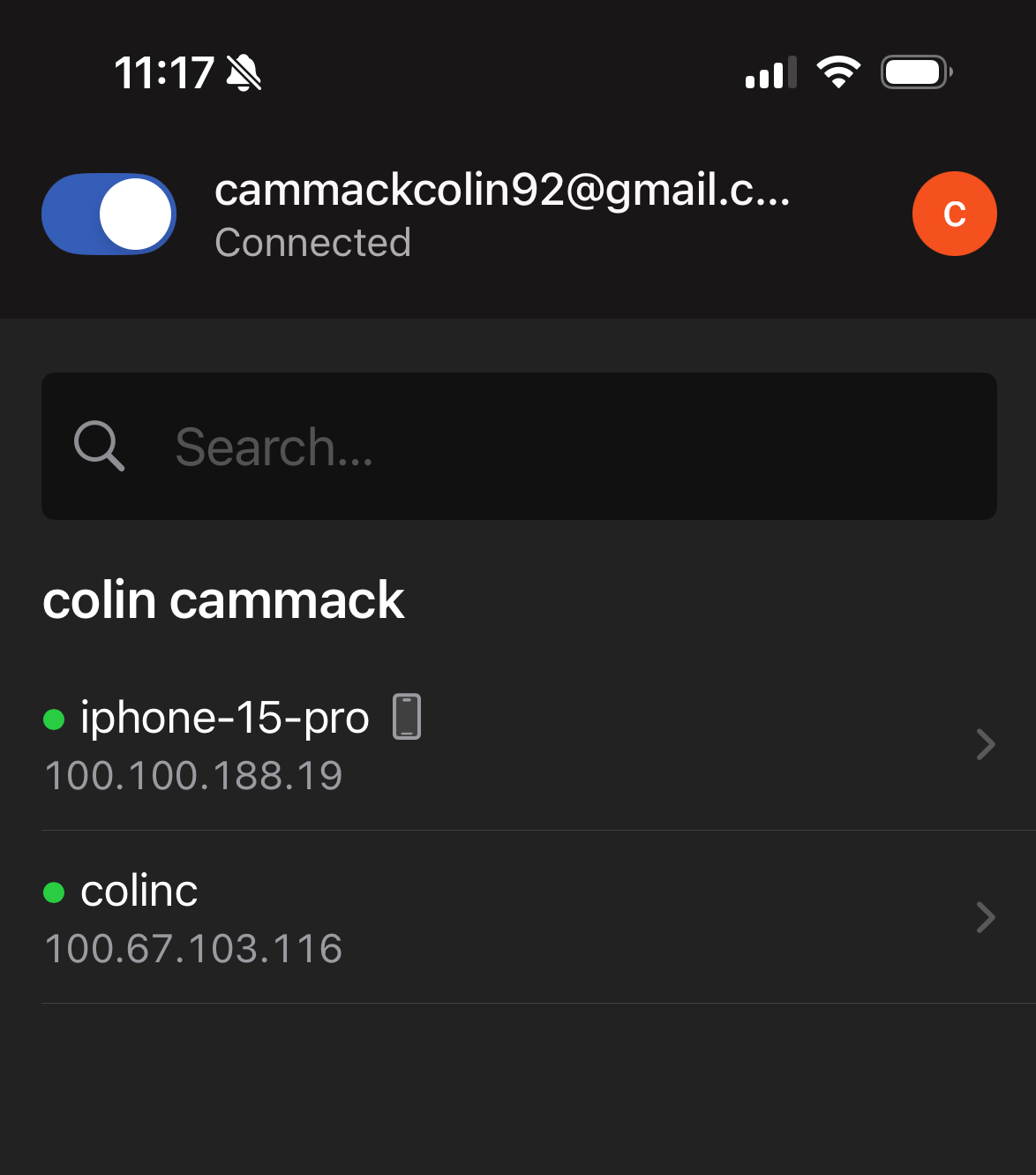
Tailscale was used to securely connect my phone and Raspberry Pi through a private encrypted network.
This allowed me to access Pi-hole remotely, manage the dashboard, and keep the system usable even when not on the same Wi-Fi.
Results
- Pi-hole successfully blocked ad/tracker DNS requests
- Unbound provided recursive DNS resolution instead of forwarding to a public resolver
- Tailscale enabled secure remote access and management without exposing the Pi to the public internet
What I Learned
- How DNS filtering works at the network level (Pi-hole)
- How recursive DNS resolution improves privacy (Unbound)
- How to build a working solution under real-world constraints (dorm networks)
- How to use a VPN overlay for secure remote management (Tailscale)